
SPN. 178: Building a Landing Page Machine
Plus, why Snap deserves a test budget and plenty of Jobs & Opps

A very warm welcome to all the new subscribers. You’ve joined a community of 4k+ marketing and fund raising operators at mission-driven Orgs. I’m thrilled to have you as readers and truly appreciate your feedback and support.
In this week’s SPN:
SNAP!
Building a Landing Page Machine
Plenty of Jobs & Opps
Let’s jump in.
CAMFED turned a fragmented giving experience into a unified, global engine for growth using Fundraise Up:
🌍 Multi-currency giving that saves hours in reconciliation
💳 77% of donors covering fees
📈 206% more tributes sent in Giving SeasonAll while lifting conversion 47% after an A/B test on their main site.
Fundraise Up → frictionless for donors, effortless for teams.
Game-changer? It is for me!

SNAP!
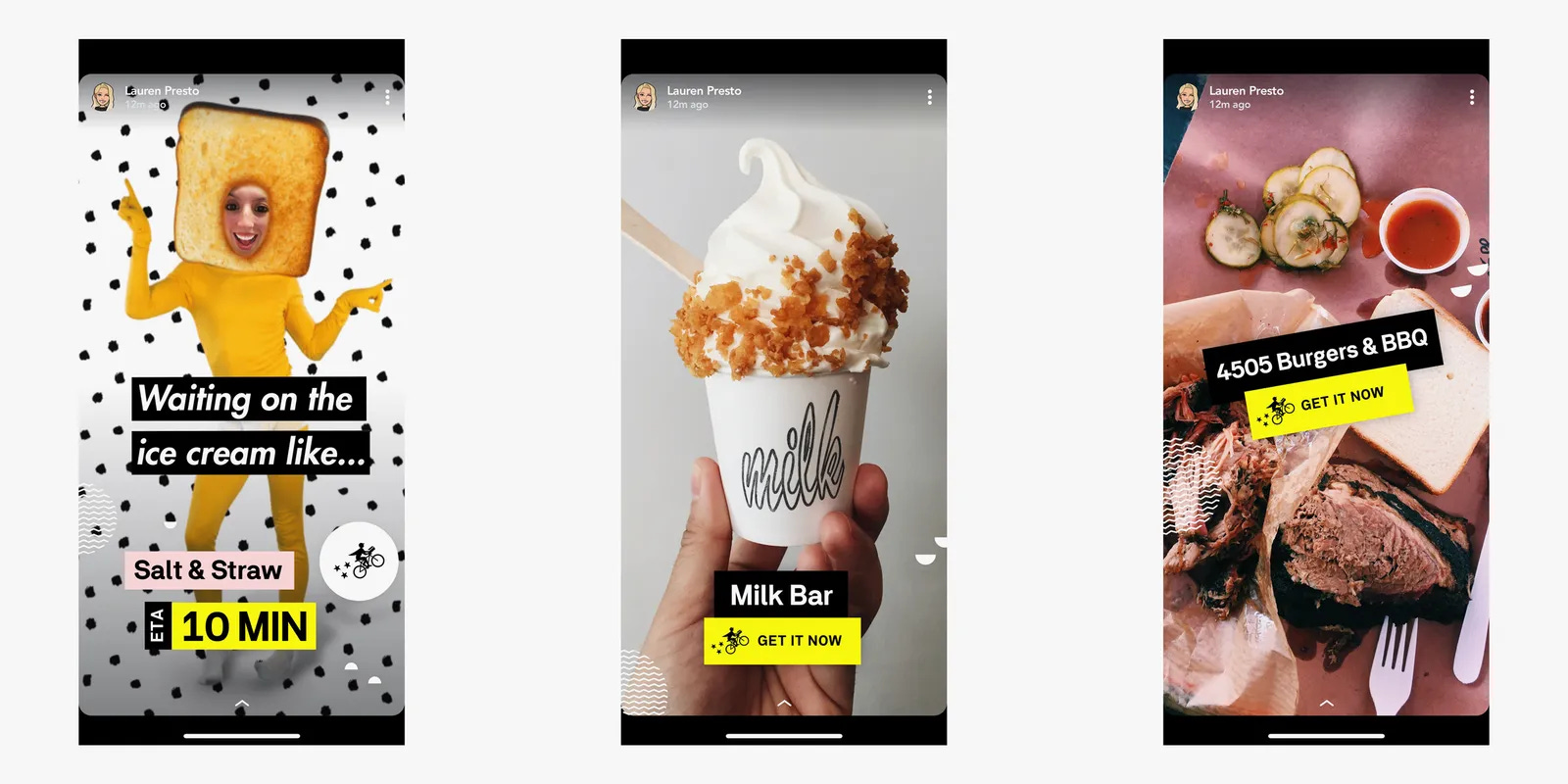
Snap is criminally underestimated, especially by nonprofit advertisers. I’ve written about them a few times:
SPN 143: Maximizing Performance with Better Creative
SPN 13: Donor LTV: A Deep Dive
Their most recent shareholder letter holds good insight:
Our investments in AI and machine learning are delivering measurable gains for
advertisers. We advanced Dynamic Product Ads with large language models that better understand products, driving over 4x higher conversion rates compared to baseline fo certain campaigns. As a result of these and other improvements, purchase-related ad revenue grew over 30% year-over-year, reflecting higher attribution accuracy and better campaign performance. For example, Comfrt, a lifestyle and apparel eCommerce brand, leveraged Target Cost and Max Bid in their Snap campaign to scale faster and reach an incremental audience that delivered an 85% lift in site visits, a 79% increase in new customers, and a more than 3x ROAS improvement as measured by WorkMagic since the start of their 2025 campaign.”
Orgs should be paying attention. Snap’s ad platform is quietly evolving into one of the most efficient environments for performance-based storytelling, especially for younger donor acquisition.
With its AI-driven dynamic creative and conversion optimization tools, Snap now behaves more like a commerce engine than a social network. That’s a huge opportunity for Orgs willing to experiment with creative built for native, vertical storytelling.
Imagine pairing a $5 “tap-to-give” micro-conversion ad with a short impact reel or using Snap’s AR lenses to visualize a donation’s impact. The CPMs are still low, the targeting precise, and the creative bar delightfully high. For Orgs serious about building next-gen donor pipelines, Snap deserves a test budget.
Reads From My Week 📚
Impact of Visual AI on Ad Effectiveness (Google)
Improving productivity: Improving productivity: Perplexity at Work (Perplexity)
Snap shares jump after $400M deal with AI (LinkedIn)
Ex-McKinsey Consultants Are Training AI Models to Replace Them (Bloomberg)
How AI browsers sneak past blockers and paywalls (Mashable)
AI Doesn’t Have to Mean Revenue Hit for Ad Industry (WSJ)
Meta has an AI product problem (Tech Crunch)
Claude Just Made Prompting 10x Easier - And It Works in ChatGPT! (Nate Jones)
The Business Case for Rethinking Transparency and Trust in the Agency World (AdWeek)
Women’s sports are on everyone’s radar. For marketers, this creates a new tension (Campaign)
Deep Dive: Building a Landing Page Machine
Building landing pages in a systematic, efficient way isn’t just a fun side project, it’s often the difference between an Org that plateaus and one that breaks through to the next level.
If your teams can develop a repeatable process with predictable timelines and clear quality standards for each step (research, copy, design, dev, etc.), you’ve unlocked a growth superpower. And you will raise more money. Instead of landing pages being a bottleneck or a one-off fire drill, they need to become a reliable growth lever you can pull whenever you have a new program or Match or audience to target.
If you look at some of the fastest-growing consumer brands, many of them scaled quickly because they were smart about their funnels… nailing their messaging, creative, CTAs, and understanding retention and churn. At the core of those funnels are dedicated landing pages. Why? Because landing pages let you streamline the customer journey and boost conversion rates by reducing friction and educating the customer along the way.
Building on last week’s SPN deep dive, today I’ve broken down how I created a cost-effective, conversion-focused landing page process that scaled my digital fundraising efforts to $50M annually.
→ Scroll down to “My Step-by-Step Process for Building Landing Pages” if you don’t need a reminder that content is king (not tools).
Why Landing Pages Matter for Scaling
A good landing page is an essential part of your marketing funnel. Rather than sending ad traffic to a generic homepage (which can work sometimes depending on a host of factors), a focused landing page can guide a prospect from first click to donation with minimal detours. Fewer clicks means fewer chances for people to drop off – naturally increasing your conversion rate because you’re removing distractions and friction in the donation process.
But it’s not just about reducing clicks. A landing page also gives you the space to properly educate a supporter about your mission and programs. You can concisely explain why they should trust you, how your programs solves certain challenges for the beneficiaries of your Org’s work, and how it will enrich their life. By the time they reach the “Donate” button, they’re informed and confident.
In other words, a great landing page rolls out the red carpet for the donor: it delivers the right information at the right time, building trust and desire, so the donation feels like a no-brainer. For Orgs looking to scale up, mastering this kind of donor journey is a game changer.
Strategy Over Tools: Content Is King (Not Fancy Tools)
When our team first decided to build landing pages to improve conversion, the initial route we took was to whip something up quickly and cheaply. Someone on the team suggested using a drag-and-drop landing page tool, we tapped our agency, and we went through a few freelancers on Fiverr too who designed a page for a few hundred bucks.
These tools and quick fixes can be fine to get a campaign started but it’s worth remembering that the tool you use or how “pretty” the page looks is far less important than having the right strategy, messaging, and content. We put the cart before the horse on a number of occasions while we built out this process.
You absolutely must get the basics right – the CTA, the copy, the donor experience (UX) flow, and the messaging hierarchy. Those elements will make or break your page’s performance. The functionality or shiny UI elements come second. If you don’t have a clear strategy and compelling content, even the most expensive landing page builder or the trendiest design template won’t save you. (As I mentioned last week, having a very clear brief is the first step. Without clear direction on your audience, angle, and goals, the landing page will miss the mark).
Let me emphasize the difference: UX vs. UI. UX (User Experience) is how the page works – how easy and intuitive it is for a visitor to navigate, understand your message, and take action. UI (User Interface) is how the page looks – the aesthetic design, colors, fonts, images, etc. A beautiful UI can enhance trust and reinforce your brand identity, but a pretty page alone won’t convert if the UX and content are poor. An ugly page with great copy and flow will outperform a gorgeous page with confusing messaging every time.
The takeaway: Don’t get distracted by tools or over-fancy design. You can use basic landing page tools or simple templates to start, that’s fine. But what really matters is the substance: a clear angle and audience, strong copywriting, a compelling CTA, and a smooth donor journey. Nail those, and even a “ugly” page can print money. Miss those, and no amount of good design will save your conversion rate.
→ My Step-by-Step Process for Building Landing Pages
Over time, I’ve developed a process to crank out effective landing pages with minimal wasted effort. Here’s exactly how I do it, step by step:
Define Your Angle & Audience:
Start by clearly identifying who you’re targeting and what core angle or emotion you’re leveraging. Every great campaign begins with a simple truth: you’re not talking to everyone. Identify exactly who this page is for - lapsed monthly donors, peer-to-peer fundraisers, corporate match partners, etc. Then define the emotional driver that will resonate most with them: urgency, pride, community, empathy, progress.
For example, if you’re targeting mid-level donors for an animal welfare appeal, your angle might be “Rescue one more pet before winter.” That emotional clarity should shape every headline, photo, and testimonial on the page. Defining this upfront should result in all messaging staying laser-focused and relevant to the people you want to convert.
Brain Dump All Your Ideas (Copy First):
Open a blank document and brain-dump everything that could belong on the page - the story, impact stats, beneficiary quotes, program breakdowns, visuals, FAQs, and social proof.
Get it all out before you start designing. Once you have your raw material, refine it into clear, donor-centered copy. The idea is to create a massive content sandbox to play in. The goal is to show:
Why this matters right now
How the donor can help
What impact their gift makes
Once it’s all out on paper, you can always trim and refine.
SPN tip: if you use AI tools in your workflow (for example, to analyze customer feedback or to polish copy) you can even feed this rough doc into an AI assistant to see if it suggests any improvements or spots anything you missed. The AI isn’t there to write for you, but it can help you refine your raw material.
Outline the Sections & Story Flow:
Now step back and organize that brain dump into a rough outline or wireframe on paper. Think about the sections of your landing page as chapters of a story that smoothly guides a supporter from ignorance to interest to desire to action.
A typical flow might look like: Hero (headline, subheadline, call-to-action) → Problem/Challenge → Solution (your program) → Key Benefits & Features → Social Proof (donor reviews, beneficiary testimonials) → Comparison (why you vs. peers or vs. doing nothing) → Match/Donation/CTA → FAQ → Final CTA. There’s no one-size-fits-all formula, but whatever structure you choose, make sure each section logically leads to the next.
At this stage, focus on what content goes where, not how it will look visually. Arrange the copy from your doc under these section headings. Cut any fluff that doesn’t serve the core angle or that creates detours. This outline is essentially your wireframe in written form – the skeletal blueprint of the page.
Craft a Wireframe (UX Layout):
Next, organize that content into a logical, emotional journey:
Hero section: Headline, visual, CTA
→ The problem: What’s at stake
→ The solution: Your program or response
→ The proof: Real stories or data
→ The action: What the donor can do
→ Reinforcement: Matching offer, testimonials, or FAQs
→ Final CTA
Think of this like writing a great appeal letter. You’re leading someone from awareness to action, one scroll at a time.
You’re combining your marketing strategy knowledge (what makes supporters click and donate) with everything you know about the donor and the angle, plus all that raw content you gathered, and molding it into a logical flow. Don’t be discouraged if it takes several tweaks – this is where A/B testing and conversion rate optimization come into play over time.
Even our experienced designers rarely nailed the perfect layout on the first try, which is why you have to continuously test and refine. If you have access to a conversion-focused UX designer (someone who’s designed landing pages for paid traffic before), this is a great time to get their input or have them draft the wireframe. The goal is a page structure that makes it stupid-simple for a supporter to go from skimming the headline to entering their credit card info without confusion or extra clicks.
Design the Page (UI):
Once the wireframe (the what-goes-where) is approved, it’s time for the UI design, making it look like a polished, on-brand web page.
In this phase, you’ll apply your brand’s visual identity to the wireframe: the color scheme, fonts, button styles, imagery, iconography, whatever else. The key here is to maintain the integrity of the wireframe’s layout and flow while making it brand-consistent.
Don’t let design “creativity” derail the functional layout. Every design choice should still serve the goal of converting the donor. If you have specific content pieces (program photos, charts, graphics, testimonial pics), plug them in. Make sure the design is clean and uncluttered. The need here is to enhance trust and clarity, not distract or overwhelm!
By the end of this step, you should have a dev-ready design file of the landing page.
Build Within Your Core Website (Not a Subdomain)
Avoid spinning up donation microsites or using subdomains that break tracking. This was always a conversation for every campaign I produced. The winning argument is: Keep everything under your main domain so analytics and CRM tracking stay intact.
You must preserve data integrity, it’s critical for optimizing campaigns and reporting ROI. When your data is fragmented, your insights disappear…
Integrating campaign pages directly within your CRM or giving platform also allows for better A/B testing, retargeting, and donor journey automation.
I’ve seen Orgs doing 3M to $50M/year in digital fundraising unknowingly sabotage their data by running pages on a different domain, causing Facebook and Google to receive muddled signals (and once those platforms get bad data, you can’t exactly “cleanse” it later; it hurts your optimization).
Bottom line: keep it all under one roof for accurate data and easier maintenance.
QA Everything (Mobile, Desktop, Tracking):
Before you send traffic to your new page, test it rigorously.
Check the page on all major device types and browsers. Mobile phones (iPhone and Android), tablets, and various desktop browsers. Ensure the layout is responsive and looks great on small screens (where likely 70%+ of your traffic from ads will be). Click through every link and button. Take the journey you’re expecting your donor to take.
Also double-check that all your tracking events are firing correctly (page view, subscribe, add-to-cart, donation, or whatever events you expect).
On a custom-coded page, sometimes the usual events don’t fire by default, so your developer might need to manually trigger the pixel at certain steps. It’s worth running through a test donation (or five) while having your analytics debug tools open to verify this.
If you’re offering a Match on the landing page, test that the code works at the donation checkout. You want to catch any glitch or friction before a real donor hits it. It’s a terrible feeling to spend money on ads only to realize later that your “Donate Now” button wasn’t working on mobile or the Meta Pixel didn’t record any of the donations. It’s an experience I don’t wish to re-live nor do I wish it on anybody!
Launch, Monitor, and Optimize:
With QA passing, push the page live and start sending traffic to it. In the first day or two, keep a close eye on performance and any donor feedback.
Monitor your analytics: Is the bounce rate reasonable? Are people clicking the CTA? How’s the conversion rate vs. your main site? Often, things will work perfectly, but if something is off, you want to catch it early. Also watch for any unexpected behavior e.g., a flood of donor service tickets or DMs saying “it keeps timing out” or “the code isn’t working” (unlikely if you tested well, but stay vigilant).
Assuming all is well, you can start gathering data and possibly set up A/B tests on elements of the page (headline, images, etc.) to keep improving it. One of the beautiful parts of a dedicated landing page is that you can optimize it specifically for your paid traffic audience, so use that advantage over time.
Educate, Don’t Pressure (Build Trust for the Long Term):
As you refine your landing pages, continue to walk your donor down a red carpet. The page should feel like a helpful guided tour, not a high-pressure donation trap.
Avoid gimmicks that might boost short-term conversion at the expense of trust like fake countdown timers, spammy pop-ups, or “limited Match time” nonsense that resets every visit. Those tricks might squeeze a donation out of a skeptical donor once, but they won’t make them feel good about the donation or come back for more.
Donors want transparency. Pages that teach, uplift, and respect the donor’s intent build lifetime value.
When your campaign pages feel like an invitation rather than a transaction, you’re not just raising money, you’re building brand and program advocates.
The best Orgs I know are growing because they’re actively building fans, not just “supporters”. Fans are created through positive, trust-based experiences. So focus on education and value, and the conversions to donate will follow.
Final Thoughts
This process helped me and my team test and scale campaigns rapidly, feeding our paid acquisition funnels with high-converting pages. It removed a ton of friction in working with other team teams too because everyone knew the playbook for launching a new page. Ultimately, it meant we were in-market faster which allowed us to test earlier, launch earlier, learn faster and raise more funds, without losing momentum.
So, invest the time in building this landing page machine. As someone who’s been in the weeds of performance marketing and funnel building, I can tell you it’s absolutely worth it. Get the team aligned, follow the steps, and soon whipping up a killer landing page will feel like second nature. Your future self (and your digital fundraising goals) will thank you when you’re scaling from $1M to $10M to $50M+ without breaking a sweat.
That’s all for today.
Phew. That was a lot. I hope you’ve found at least one nugget today that you can put into play next week.
If you enjoyed this SPN, please consider sharing with your network. Thank you to those that do.
If a friend sent this to you, get the next edition of SPN by signing up below.
And huge thanks to this Quarter’s sponsor Fundraise Up for creating a new standard for donor experience that ensures Orgs raise more money.
Jobs & Opps 🛠️
The Metropolitan Museum of Art: Deputy Chief Officer for Patrons ($125,000 - $150,000)
Council on Foundations: Director, Philanthropy & Engagement ($90,000 - $110,000)
Museum of the Southern Jewish Experience (MSJE): Development Director
Change.org: Director, Conservative External Affairs ($218,000 - $230,000)
University of Southern California: Senior Director, Foundation & Corporate Relations ($132,000 - $148,000)
Save the Children US: Head, Mass Market Fundraising & Engagement ($154,000 - $210,000)
Robin Hood: Senior Manager, Partner & Engagement Strategy ($123,000 - $136,000)
Task Force: Senior Director, Events & Experiential Marketing ($150,000 - $200,000)
World Cancer Fund: Digital & Content Manager (£40,000 -£45,000)
Coca Cola: Director, Social Impact Partnerships
U.S. Soccer Federation: SVP, Business Development
Canadian Red Cross: Director-Digital & Sustainer Marketing ($115,223 - $122,425 CAD)
The HALO Trust: Strategic Philanthropy Lead (£65,000)